


You’ve probably visited a website that just felt right. The buttons were where you expected them, the pages loaded fast, and you found what you needed without thinking twice. That’s not luck. That’s the result of a solid UI/UX design process working quietly in the background.
Most business owners only see the finished product: a clean, functional website. What they don’t see is everything that happens before launch: the research, the wireframes, the testing, and the small tweaks that make a website feel effortless to use.
In this post, we’ll walk through the UI/UX design process explained in plain language, so you understand exactly what your development team should be doing before your site ever goes live. Whether you’re planning a new website, redesigning an old one, or building a mobile app, understanding this process helps you ask the right questions and get better results from any digital partner you work with, including a team like Softlogics LLC.
Why the UI/UX Design Process Matters More Than You Think
A lot of businesses treat design as decoration. They think it’s just about picking nice colors and fonts. In reality, UI/UX design decides whether visitors stay on your site or leave within seconds.
Here’s what’s at stake:
- User Interface (UI) is how your website looks: layout, colors, typography, buttons, and visual hierarchy.
- User Experience (UX) is how your website feels: how easy it is to navigate, how quickly users find information, and whether the whole journey feels smooth.
Poor UX costs businesses real money. Studies consistently show that a large share of users abandon websites due to bad design or confusing navigation. On the other hand, a well-planned user experience directly improves conversions, reduces bounce rates, and builds trust with your audience.
This is exactly why UI/UX design is one of the core services at Softlogics LLC. It’s not an add-on. It’s the foundation that everything else, from web development to digital marketing, is built on top of.
Step 1: Research and Discovery
Before a single button gets designed, good UI/UX teams start with research. Skipping this step is one of the most common reasons websites underperform after launch.
Understanding the Business Goals
The first conversation isn’t about colors or layouts. It’s about your business. What are you trying to achieve? Are you trying to:
- Generate leads for a service business
- Sell products through an eCommerce store
- Build brand awareness for a new company
- Simplify a complicated internal software tool
Each goal changes how the website or app should be structured. A Shopify store built for quick purchases needs a completely different UX flow than a corporate site built to establish credibility.
Understanding the Users
Next comes user research. This might involve:
- Analyzing existing website analytics (if the business already has a site)
- Studying competitor websites
- Creating user personas based on real customer data
- Identifying pain points customers currently experience
For example, a local retail business moving into eCommerce might discover that most of their customers browse on mobile phones during evening hours. That single insight shapes decisions about mobile responsiveness, page speed, and even checkout simplicity later in the project.
At this stage, Softlogics LLC also looks at how UI/UX connects to a client’s broader digital marketing strategy. A website designed without SEO or conversion goals in mind often needs costly rework later.
Step 2: Information Architecture and Sitemaps
Once the research is done, the next step is organizing content in a logical way. This is called information architecture, and it answers one simple question: where does everything go?
This step involves:
- Listing every page and piece of content the website will need
- Grouping related content into categories
- Mapping how users move from one page to another
- Creating a sitemap that shows the entire website structure
Think of this like building a floor plan before constructing a house. You wouldn’t build walls before deciding where the rooms go, and you shouldn’t design a website before deciding where the content lives.
A clear sitemap also helps with SEO because it makes sure important pages aren’t buried too many clicks away from the homepage. This is one of the small but important details that separates a professionally planned website from one that was built without a clear plan.
Step 3: Wireframing
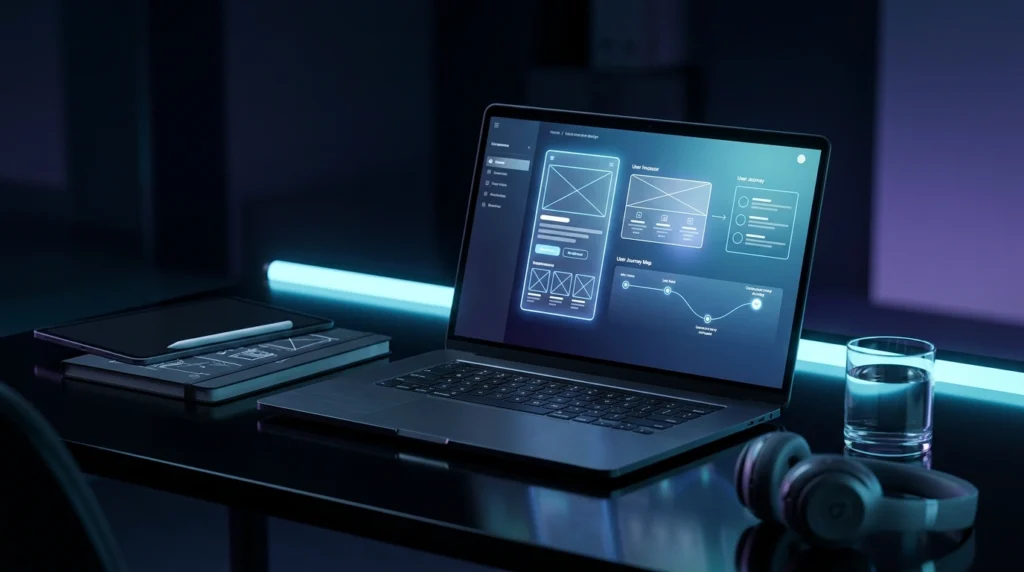
Wireframes are basic, black-and-white sketches of each page. No colors, no images, no fancy fonts. Just boxes and lines showing where content will sit.
This might sound too simple to matter, but wireframing is one of the most valuable steps in the entire UI/UX design process.
Why Wireframes Come Before Visual Design
Wireframes let designers and clients focus purely on structure and function. Without the distraction of colors or images, it’s much easier to spot problems like:
- A confusing navigation menu
- Too many steps in a signup or checkout process
- Important buttons that aren’t visible without scrolling
- Content that doesn’t match how users actually search for information
Making changes at the wireframe stage takes minutes. Making the same changes after the website is fully designed and coded can take days. This is why skipping wireframes to “save time” almost always costs more time later.
Low-Fidelity vs High-Fidelity Wireframes
There are typically two levels of wireframes:
| Type | Purpose | Detail Level |
|---|---|---|
| Low-fidelity | Quick sketches to test ideas | Very basic, rough layout |
| High-fidelity | Detailed layout with spacing and structure | Closer to final design, but still no color or branding |
Most projects at Softlogics LLC move through both stages, especially for larger custom software development projects where the interface needs to support complex features without becoming overwhelming for users.
Step 4: Visual Design (UI Design)
This is where the website starts to look like a real brand. Visual design takes the approved wireframes and adds:
- Brand colors and typography
- Icons and imagery
- Button styles and interactive elements
- Consistent spacing and visual hierarchy
Branding Consistency Matters
A website’s design should feel like a natural extension of the business’s overall branding. This is where graphic design and branding services become closely connected to UI/UX design. If a business already has a logo, brand colors, and style guide, that identity should carry through every screen of the website or app.
For newer businesses without an established brand, this stage often includes creating a basic style guide first: fonts, colors, button styles, and spacing rules that keep the entire website looking consistent.
Designing for Real Devices
Good visual design also accounts for how the website will actually be viewed. With most web traffic today coming from phones and tablets, designs need to be responsive from the start rather than adjusted afterward. According to <a href=”https://www.statista.com/statistics/277125/share-of-website-traffic-coming-from-mobile-devices/” target=”_blank” rel=”noopener”>Statista’s mobile traffic data</a>, mobile devices account for a significant share of global website traffic, which makes mobile-first design decisions far from optional.
Step 5: Interactive Prototyping
Once the visual design is approved, the next step is turning static designs into a clickable prototype. This lets stakeholders and test users click through the website exactly as they would once it’s live, without any actual code being written yet.
Prototyping helps answer questions like:
- Does the checkout process feel smooth?
- Is the navigation intuitive on mobile?
- Do animations and transitions feel natural or distracting?
- Are there any confusing dead ends where users get stuck?
This step often reveals issues that wireframes couldn’t catch, since seeing something in motion is very different from seeing it as a static sketch.
For businesses building custom software or mobile apps, prototyping is especially important. Complex tools with multiple user roles, dashboards, or workflows need to be tested thoroughly before development begins, since fixing structural issues after coding starts is far more expensive.
Step 6: Usability Testing
This is one of the most overlooked steps in web design, yet it’s arguably the most valuable. Usability testing means putting the prototype in front of real people and watching how they use it.
What Usability Testing Looks Like
Testing doesn’t need to be complicated. Even a small test group of 5 to 8 users can reveal major usability issues. Common methods include:
- Task-based testing (asking users to complete a specific action, like “find the pricing page”)
- Observing where users hesitate or get confused
- Recording how long tasks take to complete
- Gathering direct feedback through short interviews
Why This Step Can’t Be Skipped
Business owners often assume their website is easy to use simply because they understand it themselves. But you already know your business inside and out, which makes it hard to notice confusing elements a first-time visitor would struggle with.
Usability testing removes guesswork. It replaces assumptions with real data about how actual users behave. This is one of the reasons the UI/UX design process at Softlogics LLC always includes a testing phase before development moves forward, especially for eCommerce projects where even small checkout friction can directly reduce sales.
Step 7: Handoff to Development
Once designs are tested and finalized, they move into development. This is where web development and custom software development teams bring the design to life with actual code.
A smooth handoff includes:
- Detailed design files with exact spacing, colors, and fonts
- Interactive states for buttons and forms (hover, active, disabled)
- Assets exported in the right formats and sizes
- Clear documentation so developers understand the intended behavior
This is another area where working with a full-service company pays off. When design and development happen under one roof, like at Softlogics LLC, there’s far less risk of miscommunication between what was designed and what actually gets built.
Step 8: Pre-Launch Quality Assurance
Before any website goes live, it goes through a detailed quality assurance (QA) process. This step checks that the design has been implemented correctly and that everything works as intended.
QA typically covers:
- Cross-browser testing (Chrome, Safari, Firefox, Edge)
- Cross-device testing (phones, tablets, desktops)
- Page load speed testing
- Accessibility checks for users with disabilities
- Broken link and form testing
- Final review against the original design files
Accessibility deserves special attention here. Following guidelines like the <a href=”https://www.w3.org/WAI/standards-guidelines/wcag/” target=”_blank” rel=”noopener”>Web Content Accessibility Guidelines (WCAG)</a> ensures your website works well for users with visual, motor, or cognitive impairments, which also happens to improve usability for everyone.
Step 9: Launch and Beyond
Launching the website isn’t the finish line. It’s the starting point for ongoing improvement. Real user behavior after launch often reveals things that testing couldn’t fully predict.
This is why website maintenance matters so much. A website needs:
- Regular performance monitoring
- Security updates and backups
- Content updates as the business grows
- Continued UX improvements based on analytics
Many businesses pair their website launch with digital marketing efforts like SEO, PPC, and social media marketing to start driving traffic right away. A beautifully designed website with zero visitors won’t grow a business, which is why UI/UX design and digital marketing work best when planned together rather than treated as separate projects.
Real-World Example: How Good UI/UX Design Solves Business Problems
Let’s look at a practical scenario. A mid-sized service business comes to a design team with an outdated website. Visitors are landing on the homepage but leaving within seconds. Contact form submissions are almost nonexistent.
Through the UI/UX design process:
- Research reveals the homepage buries the contact information below several scrolls of text
- Wireframing repositions the contact form higher on the page and simplifies it from 8 fields to 4
- Visual design updates the color contrast so the call-to-action button actually stands out
- Usability testing confirms users now find the contact form within seconds
The result isn’t just a nicer-looking website. It’s a measurable increase in form submissions and a real business impact. This is the kind of outcome that separates decorative design from strategic UI/UX design, and it’s the standard Softlogics LLC works toward on every project.
How Softlogics LLC Supports the Full Digital Journey
UI/UX design rarely exists in isolation. It connects to nearly every other digital service a growing business needs:
- Web Design & Development: Turning tested designs into fast, functional websites
- Custom Software Development: Designing complex tools that stay simple to use
- Mobile App Development: Applying the same design discipline to iOS and Android apps
- Graphic Design & Branding: Keeping visual identity consistent across every touchpoint
- Digital Marketing: Driving traffic to a website built to convert
- Shopify & eCommerce Development: Designing checkout flows that reduce cart abandonment
- Website Maintenance: Keeping the user experience strong long after launch
- E-Book Publishing: Applying the same attention to layout and readability in digital publications
Because these services work together under one team, businesses avoid the common problem of disconnected vendors who don’t communicate. If you’re planning a new website or rethinking an existing one, it’s worth exploring the UI/UX design services offered by Softlogics LLC to see how a structured process like this can apply to your specific business.
Common Mistakes Businesses Make Before Launch
Understanding the UI/UX design process also means knowing what to avoid. Some of the most common mistakes include:
- Skipping research and jumping straight into visual design
- Ignoring mobile users, even though they often make up the majority of traffic
- Adding too many steps to forms, checkouts, or signups
- Launching without usability testing, then discovering problems from real customer complaints
- Treating design and development as separate projects instead of one connected process
Avoiding these mistakes early saves both time and money. It’s almost always cheaper to fix a problem on a wireframe than to fix it after the website is fully built and live.
Final Thoughts
A great website doesn’t happen by accident. Behind every smooth, easy-to-use site is a structured UI/UX design process that involves research, planning, testing, and refinement long before launch day.
If you’re building a new website, redesigning an old one, or planning a custom software solution, understanding this process helps you make smarter decisions and ask better questions of any team you work with.
Ready to build a website that actually converts visitors into customers? Work with Softlogics LLC to plan a UI/UX design process built around your specific business goals. Get a free consultation and see how a structured approach to design can improve your online presence from the ground up.
Frequently Asked Questions
1. What is the difference between UI and UX design?
UI (User Interface) design focuses on how a website looks, including colors, layout, and typography. UX (User Experience) design focuses on how a website feels to use, including navigation, ease of use, and overall user journey. Both work together, but they solve different problems.
2. How long does the UI/UX design process usually take?
It depends on the size and complexity of the project. A simple business website might take 2 to 4 weeks for the design phase, while a complex custom software platform or eCommerce store could take 6 to 10 weeks or more, especially when multiple rounds of usability testing are involved.
3. Why is usability testing important if the design already looks good?
Looking good and being easy to use are two different things. A website can look visually appealing but still confuse users with poor navigation or unclear calls to action. Usability testing catches these problems using real user behavior instead of assumptions.
4. Can UI/UX design improve an existing website without a full redesign?
Yes. Many businesses improve conversions through targeted UX changes, such as simplifying navigation, improving mobile responsiveness, or redesigning specific pages like checkout or contact forms, without rebuilding the entire website from scratch.
5. How does UI/UX design affect SEO?
Search engines consider user experience signals like page speed, mobile-friendliness, and bounce rate when ranking websites. A well-structured, easy-to-navigate website tends to keep visitors on the page longer, which can positively influence search rankings over time.
6. Does UI/UX design matter for mobile apps as well as websites?
Absolutely. Mobile app development relies heavily on UI/UX design since users expect fast, intuitive interactions on smaller screens. Poor app usability is one of the leading reasons users uninstall apps shortly after downloading them.
7. How do I know if my business needs a new UI/UX design process?
Common signs include high bounce rates, low conversion rates, confusing navigation, outdated visuals, or a website that isn’t mobile-friendly. If visitors frequently leave without taking action, it’s worth reviewing your current UI/UX design with an experienced team.
Looking to redesign your website or launch a new digital product the right way? Contact our team at Softlogics LLC to start with a research-driven UI/UX design process built around your business goals.